Merge and Mine Multiplayer & Session Tips
Make 8-player servers smoother without breaking your dig tempo.
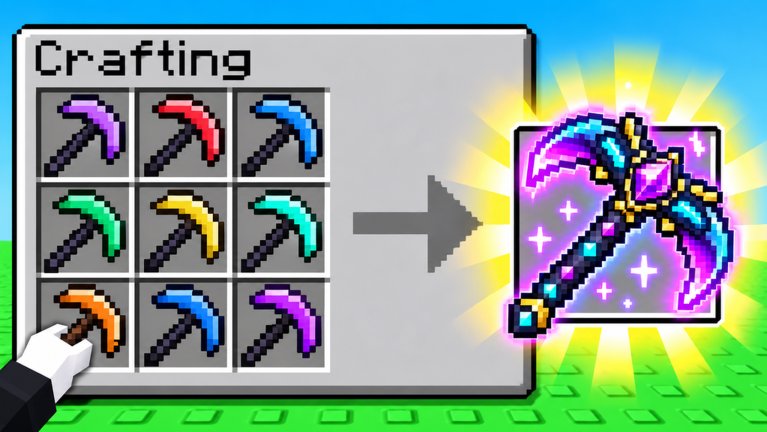
This guide expands the Players Hub into practical multiplayer session tips for Merge and Mine! Expect crowded eight-player servers, mixed platforms, and people at very different merge stages. Your job is to keep your loop healthy—merge matching tools, dig the shaft, collect ores/gems, spend coins on upgrades—while staying decent to everyone else.
Nothing here invents private server rules or unpublished social multipliers. When the game shows favorite, like, group, or invite rewards, follow the on-screen text. When it does not, skip rumor numbers and keep farming.
Before you join a shared session
- Claim account-side freebies first — Check Codes and any favorite/group prompts so bonuses (if present) apply during the session.
- Set a personal goal — Examples: tidy the merge board, fund one upgrade breakpoint, or attempt one controlled deep push. Aimless social digging wastes the hour.
- Skim stage strategy — Know whether you are in starter, workhorse, or push mode via Pickaxe Tier Strategy.
- Warm up solo if needed — New players should finish Getting Started basics before trying to “keep up” with veterans.
Joining friends reliably
- Use Roblox friend join / server follow features when available.
- If joins fail, have one person stay put while others rejoin from the experience page.
- Agree on platform quirks: mobile players may need larger tap targets and fewer mid-merge distractions; console players may navigate menus slower.
- Share a simple callout language: “merging,” “digging mid,” “pushing,” “rebirthing” so nobody drags the group into the wrong plan. Link Rebirth Guide only when resets are actually part of your build’s progression.
Etiquette that protects everyone’s tempo
Space and menus
Stand clear of players who are mid-merge or mid-shop. Accidental bumps and camera clutter cause mis-merges. If the layout is tight, rotate who stands near interactive spots.
Chat hygiene
- Offer concise tips (“merge pairs before buying more”) instead of walls of text.
- Never paste unverified codes; send people to Codes.
- Ignore bait arguing about “best ore” without context—point to Ore Priority thinking instead.
Fairness and pressure
Do not demand others fund your upgrades, drop tools, or stay online for your push timer. Co-op in this genre is soft coordination, not a raid lockout.
Performance courtesy
Full eight-player servers plus effects can stutter on low-end mobiles. If your client chugs, lower graphics, avoid stacking unnecessary visuals, or hop to a quieter server. Laggy inputs create bad merges that cost real progress.
Session structures that work
The teaching session (15–30 minutes)
One experienced player narrates How to Merge basics while the learner keeps control of their own board. Goal: first clean workhorse path, not max depth.
The farm block (30–60 minutes)
Everyone targets a comfortable depth band where clears stay fast. Compare coin tempo, not ego depth. Use Ore Priority to decide spend breakpoints together.
The push window (10–20 minutes)
Only start when most of the group has surplus coins and tidy boards. One person calls “go” after a quick upgrade pass. Failed pushes retreat to the farm band—no shame. See Dig Deeper for pacing ideas and Pickaxe Tier Strategy for when a pusher is actually ready.
The reset council (as needed)
If rebirth/prestige exists in your version, discuss whether another deep haul beats resetting. Use Rebirth Guide as the shared checklist so nobody resets mid-friend’s push by accident.
Cross-platform tips
| Platform | Watch for | Mitigation |
|---|---|---|
| Mobile / Tablet | Mis-taps while chatting | Mute non-essential chat during merges; use the Merge Planner mindset—one action at a time |
| Desktop | Fast camera swings near others | Slow down near shared interactables |
| Console | Menu navigation time | Tell friends before opening long upgrade sheets |
Social rewards without mythcrafting
When Merge and Mine! advertises rewards for favoriting, liking, joining a group, or inviting friends:
- Complete the steps exactly as shown.
- Confirm the reward granted in-session.
- Write down what you received in plain language for your notes.
- Avoid posting permanent “+X% forever” claims unless the game UI still says so after the latest Updates.
If a creator video disagrees with the live prompt, trust the prompt.
Lag, full servers, and when to leave
Signs you should switch servers:
- Inputs delay during merges
- Shaft clears desync from what you expect
- Chat overwhelms focus
- You finished your goal and the remaining players are idle-noise only
Leaving is not rude; unfinished merge plans are costlier than a reload.
Checklist before a group dig
- Codes and social prompts claimed
- Personal stage goal stated
- Board has spare slots or a clear merge plan (Merge Planner)
- Upgrade breakpoint identified
- Push vs. farm decision agreed
- Exit plan if lag spikes
Related reading
- Players Hub — overview and etiquette summary
- Guides Hub — mechanics deep dives
- Tier List Hub — strategy ranks
- Tools Hub — planning tools
- Codes / Updates — rewards and patches
Play together, merge carefully, dig on purpose. Eight players should mean better sessions—not eight times the distraction.
Frequently Asked Questions
Quick answers to the most common Merge and Mine questions.
What is a good multiplayer session length?
Teaching sessions can be short (15–30 minutes). Farm blocks often run 30–60 minutes. Deep pushes work best as focused 10–20 minute windows with a retreat plan.
Should our whole group dig at the same depth?
For farm blocks, yes—pick a band everyone clears comfortably. For teaching, stay shallow. For pushes, only go deep if surplus and boards are ready.
Someone is sharing codes in chat. What should I do?
Verify in-game yourself and prefer the wiki Codes page for structured lists. Do not redeem suspicious links outside Roblox.
Is it rude to change servers mid-session?
Not when lag or noise is hurting merges. Tell friends if you can, then move. Protecting your board is reasonable.
Do invite rewards stack with codes?
Only if the live game says so. Claim each prompt separately, then start farming so any bonuses apply during real digs.